Screens Start on Paper: Why the Most Innovative Digital Creators Are Going Analog First
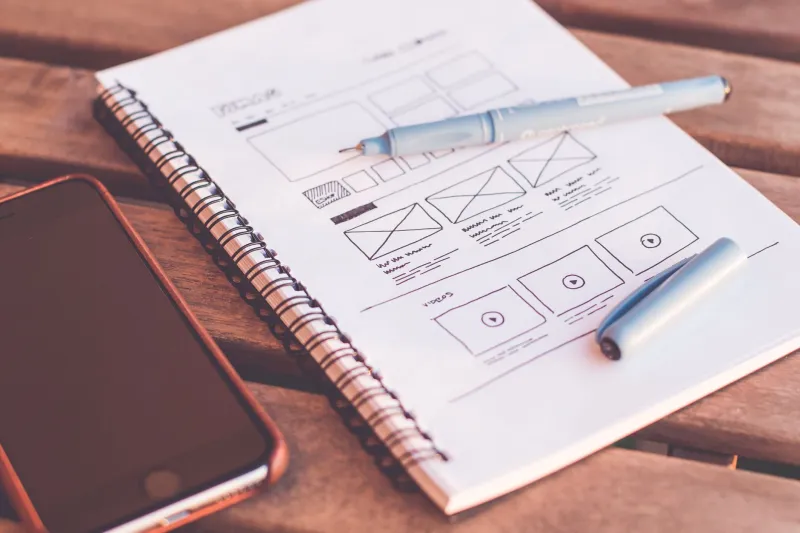
Here's something that might mess with your head a little: some of the most cutting-edge digital products being built right now — apps, interfaces, brand systems, motion graphics — started life on a sheet of paper. Not a tablet. Not a stylus. Actual, physical, you-can-crumple-it paper.
It sounds counterintuitive in a world where everything is moving toward pixels, but a growing number of designers, developers, and digital artists are making a deliberate U-turn back to tactile materials at key moments in their creative process. And the results? Cleaner thinking, faster iteration, and products that actually feel like they were made for humans.
We dug into why this hybrid workflow is gaining serious traction — and which paper types are quietly becoming essential tools in the modern digital studio.
Why Going Analog Unlocks Better Digital Thinking
There's a reason that whiteboard in the conference room never really goes out of style. Something about working with your hands — dragging a pen across a surface, tearing a corner, layering translucent sheets — engages a different part of your brain than scrolling through Figma.
Mia Torrance, a UX designer based in Austin who works primarily on mobile health apps, puts it plainly: "When I'm stuck on a navigation problem, the screen actually makes it worse. I'm surrounded by constraints I've already built. Paper gives me permission to be dumb for a minute — to draw something that probably won't work — and that's exactly when the good ideas show up."
Research backs this up. Studies on embodied cognition suggest that physical manipulation of materials can stimulate creative problem-solving in ways that purely screen-based work doesn't. The resistance of paper — its texture, its weight, the sound it makes — creates sensory feedback that keeps your brain more actively engaged.
For digital creators, this isn't about being nostalgic. It's strategic.
The Paper Prototyping Revival
Paper prototyping isn't new — UX teams have used rough paper mockups to test user flows for decades. But what's changed is how creators are thinking about the materials themselves. It's no longer just printer paper and sticky notes. Designers are getting intentional about choosing papers that serve specific stages of their workflow.
Jordan Kessler, an independent app developer in Brooklyn who builds productivity tools, keeps three distinct paper types at his desk at all times. "I sketch initial concepts on newsprint because it's cheap and I don't care about it. That psychological freedom matters — I'm not precious about it. But when I'm mapping out actual user flows and want to see how screens connect, I switch to a gridded marker paper because the ink doesn't bleed and the proportions stay clean."
For the final round of paper prototyping before he hands anything off to a visual designer, Jordan turns to a heavier, bright white cardstock. "It photographs well, it holds up when I'm moving pieces around on a table, and honestly it just looks more finished, which helps clients understand what they're looking at."
The Translucency Trick That Changes Everything
One technique that's gaining popularity among digital designers is layering with translucent papers — think tracing paper or vellum — to simulate how UI elements stack or overlap. Instead of toggling between layers in software, you physically place one sheet over another.
Designer and digital illustrator Priya Nambiar, who splits her time between client branding work and creating educational content for Skillshare, calls this her secret weapon for logo and icon design. "I'll sketch a base shape on regular paper, then lay tracing paper over it and start modifying. I can see what I'm changing without losing what I had. It's version control you can hold in your hand."
For this kind of work, a smooth-surfaced tracing paper with good transparency and minimal tooth works best — you want lines to transfer cleanly and layering to feel intentional rather than muddy.
Matching Paper to Purpose: A Quick Field Guide
If you're thinking about building a hybrid analog-digital workflow, here's a practical breakdown of which paper types tend to work best at different stages:
Early ideation and brainstorming: Newsprint or cheap sketch pads. The low cost removes psychological pressure. Go big, go messy, throw most of it away.
Wireframing and user flow mapping: Dot grid or isometric paper, or a dedicated marker paper with a smooth, bleed-resistant surface. These give you structure without the rigidity of a full grid, and your markers won't ghost through to the next sheet.
Detailed mockups and client presentations: Heavier cardstock (think 80–100 lb cover weight) in a bright white. It photographs cleanly, holds its shape when cut or assembled, and communicates professionalism.
Layering and iteration: Tracing paper or drafting vellum. Ideal for exploring variations without starting from scratch every time.
Tactile texture exploration for brand or packaging work: Specialty papers with distinct finishes — laid, linen, or felt — can help you physically experience how a surface treatment might feel before committing to a production spec.
It's Not Just UX — Digital Artists Are In On It Too
The hybrid workflow isn't limited to product designers. Digital illustrators and motion graphics artists are getting in on it too, often using paper-based studies to solve problems that feel impossible on screen.
Tamara Osei, a motion designer in Atlanta, uses watercolor paper to work out color relationships before she ever opens After Effects. "Color behaves differently on screen than in your mind. When I paint a rough version of a scene on paper, I can see what's fighting and what's working in a way that just staring at hex codes doesn't give me. It's slower to start, but I waste way less time in production."
For this kind of color study work, a cold-press watercolor paper with moderate texture gives enough surface variation to read color realistically without fighting the brush.
The Practical Case for Keeping Paper in Your Studio
None of this means abandoning the tools that make digital work powerful. Figma, Procreate, Illustrator — they're not going anywhere, and nobody's suggesting they should. The point is that paper fills gaps those tools can't.
When you're stuck, paper unsticks you. When you need to think spatially, paper lets you think spatially. When you're presenting an idea to someone who doesn't live in your software, a physical object in their hands communicates faster than a shared screen link.
Building a small, intentional paper kit doesn't require much investment — a pad of newsprint, a roll of tracing paper, a stack of good cardstock, and a marker paper block will cover most digital prototyping needs. What it does require is the willingness to step away from the screen for a little while.
Some of the best digital work being made right now started exactly there.